REMOTE CONTROL · BYD · PHONE
Start and control your BYD
from your phone.
DashArc brings together, on one phone screen, the commands your BYD head unit accepts and the commands from BYD’s cloud. Start the car and the A/C before you leave, open the trunk, set the windows with a slider and turn on seat ventilation.
The commands live in the DashArc portal, next to the map with the car’s position, battery and fuel.
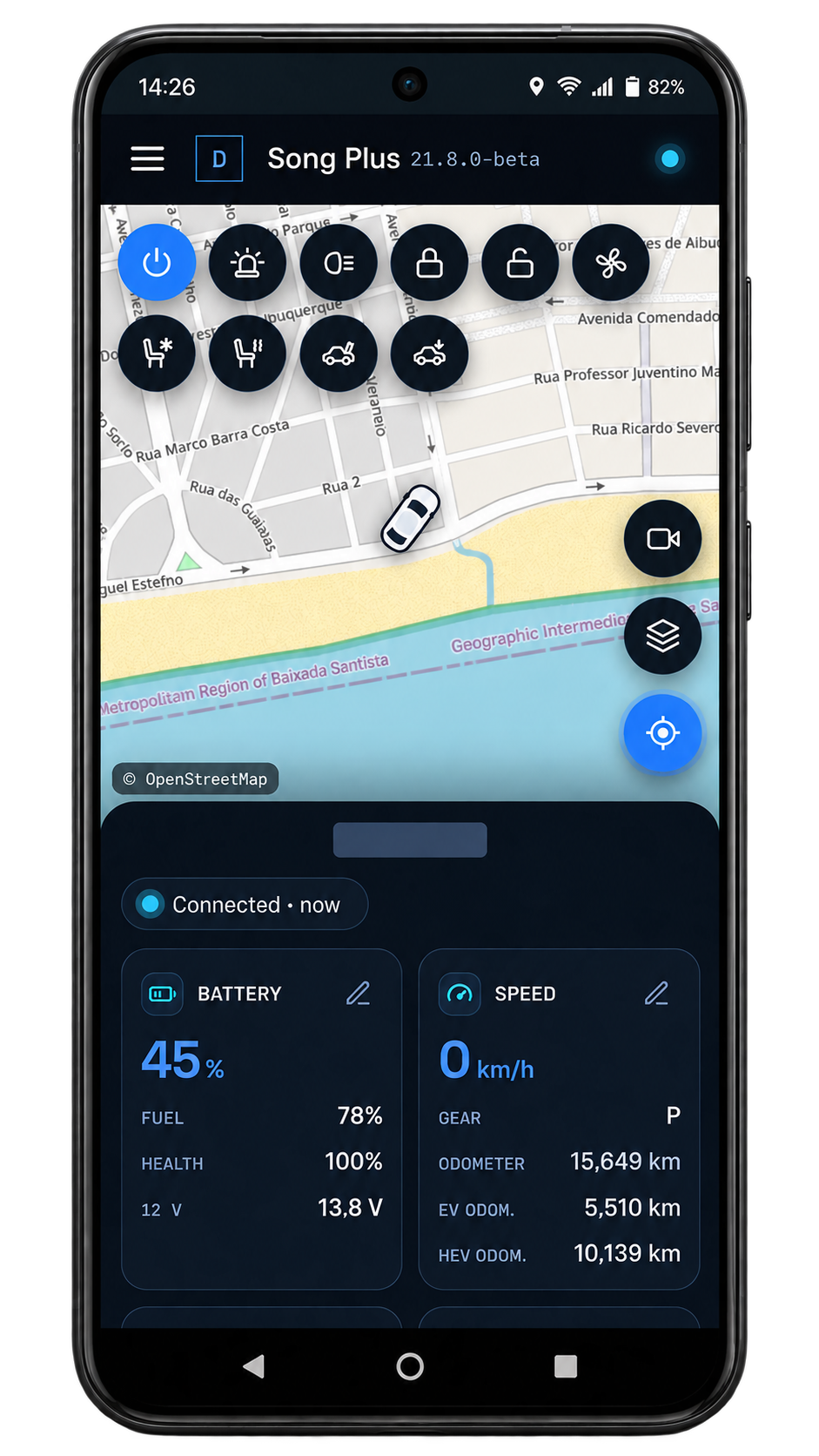
Car off: commands through BYD’s cloud
Sign in with your BYD account (email, password and the BYD app control PIN) and DashArc uses BYD’s cloud to:
- Start the car and turn it off again (switches the climate off and locks the doors).
- Turn on climate control at the last temperature, for 10 minutes or the time you choose.
- Open the trunk, with a confirmation first.
- Driver seat ventilation and heating (passenger too, if you like), locks and lights.
These commands work even with the head unit off and the portal closed, including inside automations.
Head unit on: direct DashArc commands
- Windows: open, close or pick the height with a slider.
- Sunroof, climate, seats, lighting and other functions your model has.
- One button per function, no hidden menus.
Automations
Build routines your way: one or more triggers (doors, headlights, turn signals, arriving at a safe place, time of day, telemetry…) fire actions, waits and conditions with two branches. BYD cloud commands work inside automations too, and there are ready-made automations to start with.
Vehicle dashboard and telemetry
On your phone you can follow battery level, battery health, fuel and range, speed, power and other drivetrain data in real time. DashArc only reads the data that is in use, to keep the head unit light.
Frequently asked questions
Can I turn on my BYD’s A/C from my phone?
Yes. With your BYD account connected to DashArc, the portal turns on climate control at the last temperature, for 10 minutes by default (adjustable), even with the car off.
Does DashArc store my BYD password?
To run BYD cloud commands, DashArc stores the email, password and BYD app control PIN you provide. Signing in to BYD is optional: without it, the head unit’s direct commands still work.
Do all commands work on my model?
It depends on the model and head unit: DashArc shows the commands the head unit accepts, but not every function exists on every BYD. Try it on your car during the 30-day free trial.
Does it work with Home Assistant?
A Home Assistant integration is in development.
Tested on DiLink 3 head units running the 13.1.33 system family. Not every feature may be available on your vehicle; features depend on the head unit, firmware and model.
DashArc is an independent app. References to BYD, Waze and Android Auto identify the vehicle platform and integrations; they do not imply partnership or endorsement.
More DashArc features
- BYD live cameras on your phone — watch the car’s 360° cameras live on your phone, with audio, even while the car is off.
- BYD dashcam and sentry mode — record all four car cameras in a single video, driving or parked, to an SD card, USB drive or the head unit.
- Install apps on the BYD head unit — unlock app installs on the DiLink head unit, use the DashArc store and send APKs from your phone.
- Remote access to the BYD head unit screen — see and control the car’s head unit screen from your phone or computer.
- BYD trip history and telemetry — every trip with a map, distance, real kWh and fuel use, charts and the recordings from that drive.
- Waze on the BYD instrument cluster — Waze turn-by-turn navigation on the display in front of the wheel, with maneuvering cameras and alerts.