REMOTE ACCESS · HEAD UNIT · BYD
Your BYD head unit screen
on your phone.
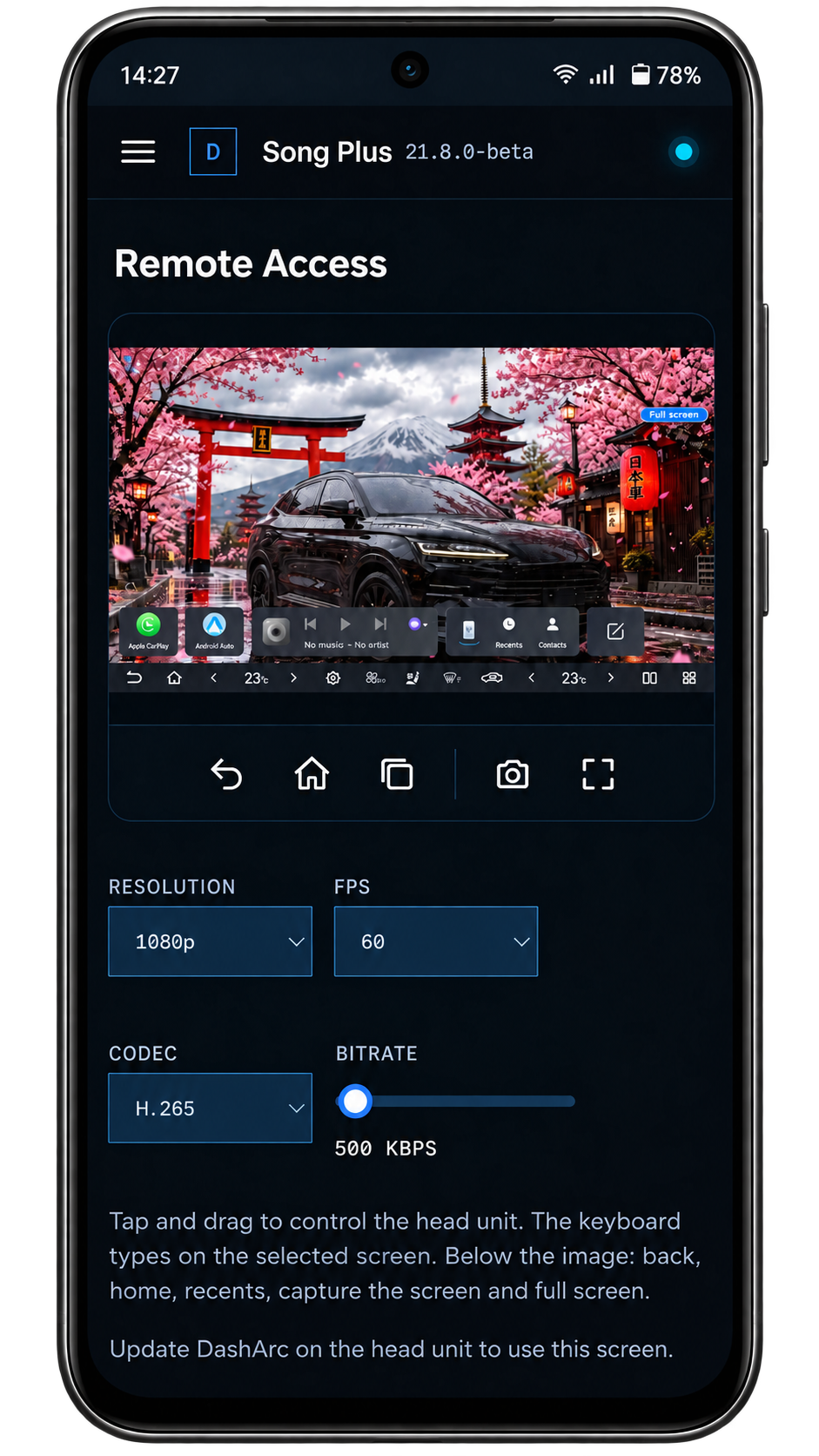
With DashArc Remote access, your BYD head unit screen shows up on your phone or computer, and you use it as if you were sitting in the car: tap, scroll, go back, open apps and take screenshots.
Set up the head unit from the couch, help someone who is in the car, or check a screen without walking to the garage.
What you can do
- See the head unit screen live and control it by touch, with an indicator where you tapped.
- Back, home and recents buttons, screenshot and full screen.
- Adjust resolution and bitrate, including options below 1 Mbps (250, 500 and 750 kbps) for weak mobile connections.
Safety and privacy
- While the screen is being viewed, the head unit shows a discreet Screen shared notice.
- There is an option to block remote control while the car is moving.
- Only the head unit is shared; the instrument cluster is not.
Frequently asked questions
Do I need any software on my computer?
No. Remote access opens in the DashArc portal, in your phone or computer browser.
Does it work away from the car?
Yes, as long as the head unit is on and connected to the internet.
Can I see the instrument cluster?
No. Remote access only shows the head unit.
Tested on DiLink 3 head units running the 13.1.33 system family. Not every feature may be available on your vehicle; features depend on the head unit, firmware and model.
DashArc is an independent app. References to BYD, Waze and Android Auto identify the vehicle platform and integrations; they do not imply partnership or endorsement.
More DashArc features
- BYD live cameras on your phone — watch the car’s 360° cameras live on your phone, with audio, even while the car is off.
- BYD dashcam and sentry mode — record all four car cameras in a single video, driving or parked, to an SD card, USB drive or the head unit.
- Start and control your BYD from your phone — start the car and climate, open the trunk, control windows, sunroof, seats and lights from your phone.
- Install apps on the BYD head unit — unlock app installs on the DiLink head unit, use the DashArc store and send APKs from your phone.
- BYD trip history and telemetry — every trip with a map, distance, real kWh and fuel use, charts and the recordings from that drive.
- Waze on the BYD instrument cluster — Waze turn-by-turn navigation on the display in front of the wheel, with maneuvering cameras and alerts.