DASHCAM · SENTRY MODE · BYD
Dashcam and sentry mode on your BYD,
no extra camera needed.
DashArc uses the cameras your BYD already has (front, rear and sides) as a dashcam while you drive and as a sentry mode while the car is parked. No need to buy or install a separate dashcam.
Each recording is a single video with all four cameras in a 2×2 grid, the same layout as BYD’s four-camera view. You can watch and download the videos from your phone, wherever you are.
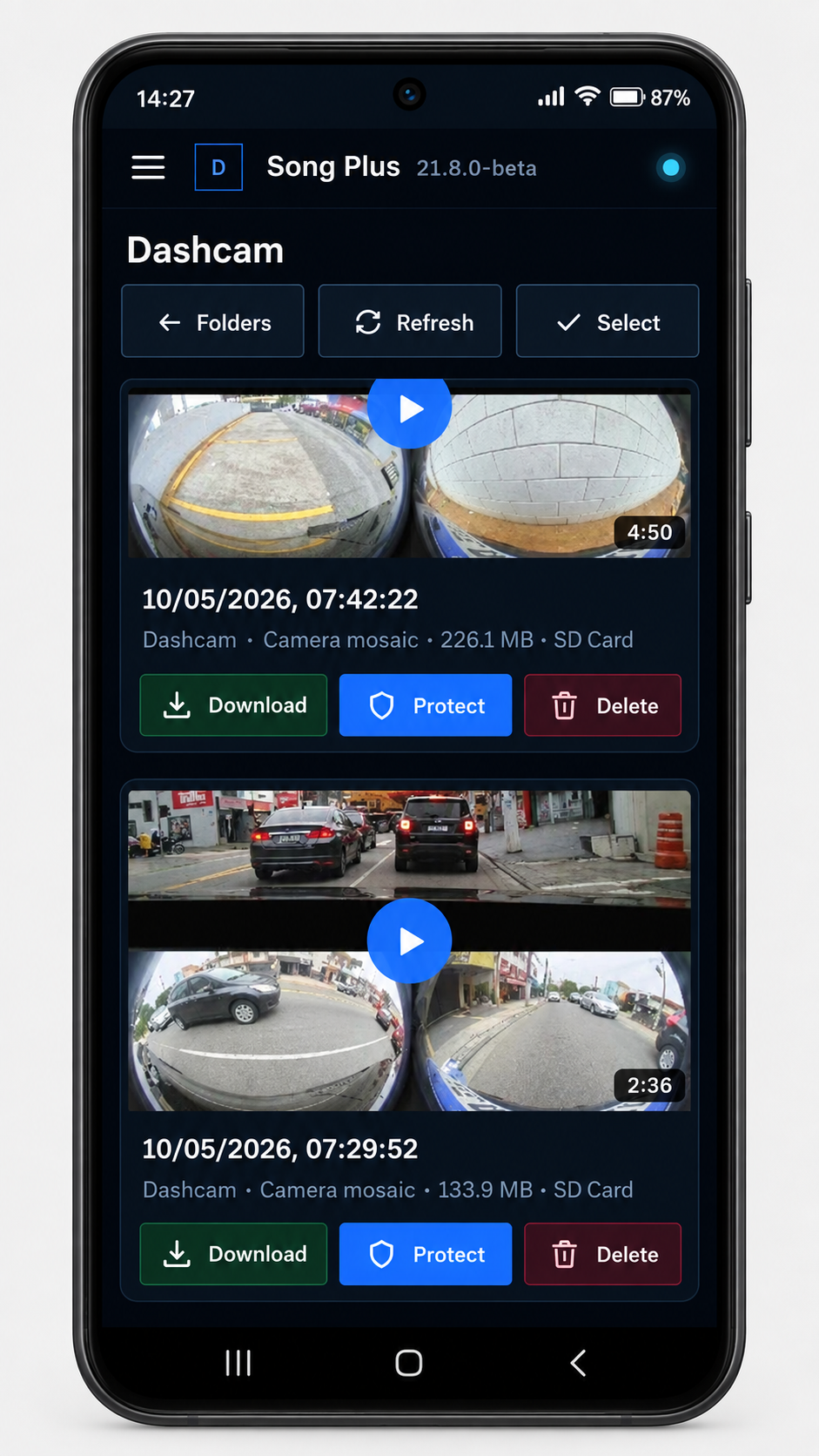
Dashcam: records while you drive
- One video with all 4 cameras together, in HD, with at least 24 frames per second per camera.
- Uses H.265 when the head unit supports it (smaller files) and H.264 otherwise.
- Record now button to keep a specific moment.
- Ready-to-use defaults: nothing needs tuning to record in good quality, but there is an image quality control if you want it.
Sentry mode: watches the parked car
With the car off, sentry mode keeps an eye on the surroundings and records what happens. You choose when it runs:
- Vehicle off and locked: records only when both are true.
- Vehicle off: records even when unlocked and stops when someone turns the head unit on; then the dashcam takes over.
In safe places you mark (your home garage, for example), you can pause the dashcam and sentry mode.
Where the videos are stored
- On the head unit, an SD card or a USB drive, in the DashArc/Dashcam and DashArc/Sentinela folders.
- DashArc can delete the oldest recordings when space runs out (on by default) and, if you like, recordings older than a number of days.
- If the chosen card or drive is not in the car, it records to the head unit and lets you know.
Watch and download on your phone
The portal’s Recordings menu has two folders, Dashcam and Sentry, with a thumbnail for each video. Watch on your phone, download in the browser and protect important clips. In Trip history, each trip shows the recordings from that drive.
Frequently asked questions
Do I need to buy a dashcam for my BYD?
Not to use DashArc: it records with the 360° view cameras the car already has. If you want an extra camera, you can plug a USB camera into the head unit and record it too.
Does DashArc sentry mode drain the battery?
Sentry mode has to keep the head unit running while the car is off, which uses the 12 V battery. DashArc monitors that battery and stops when the charge gets low.
Can it record to the SD card while the car is off?
Yes. BYD unmounts the SD card when the car is turned off; DashArc mounts it again so sentry mode can record to it.
How much space do recordings take?
It depends on the quality setting and codec. DashArc always keeps 10% of the storage free and can delete the oldest recordings automatically.
Tested on DiLink 3 head units running the 13.1.33 system family. Not every feature may be available on your vehicle; features depend on the head unit, firmware and model.
DashArc is an independent app. References to BYD, Waze and Android Auto identify the vehicle platform and integrations; they do not imply partnership or endorsement.
More DashArc features
- BYD live cameras on your phone — watch the car’s 360° cameras live on your phone, with audio, even while the car is off.
- Start and control your BYD from your phone — start the car and climate, open the trunk, control windows, sunroof, seats and lights from your phone.
- Install apps on the BYD head unit — unlock app installs on the DiLink head unit, use the DashArc store and send APKs from your phone.
- Remote access to the BYD head unit screen — see and control the car’s head unit screen from your phone or computer.
- BYD trip history and telemetry — every trip with a map, distance, real kWh and fuel use, charts and the recordings from that drive.
- Waze on the BYD instrument cluster — Waze turn-by-turn navigation on the display in front of the wheel, with maneuvering cameras and alerts.