
Everything your BYD was missing.
Android Auto and CarPlay routes on your cluster. On your phone, real-time monitoring, dashcam, remote commands for your car, trip history, app installation and much more.
Your BYD, in the palm of your hand.
Real-time monitoring, commands, sentry mode, trips and automations. All on your phone and computer.
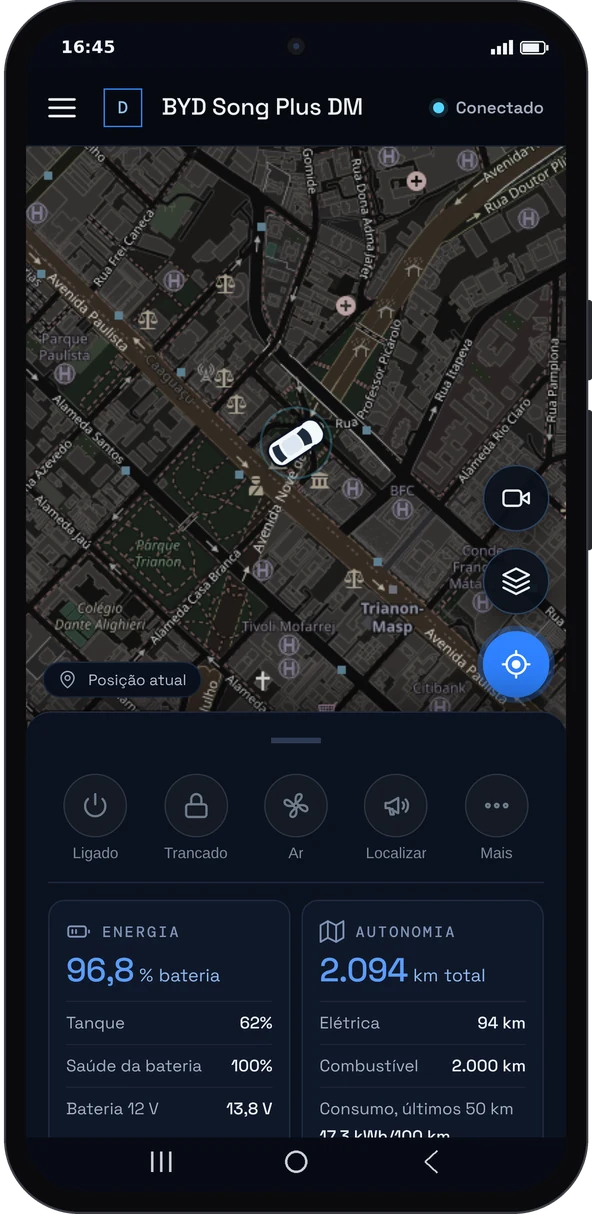
The car on the map, battery, fuel and range, with shortcuts to start, lock and set the climate.
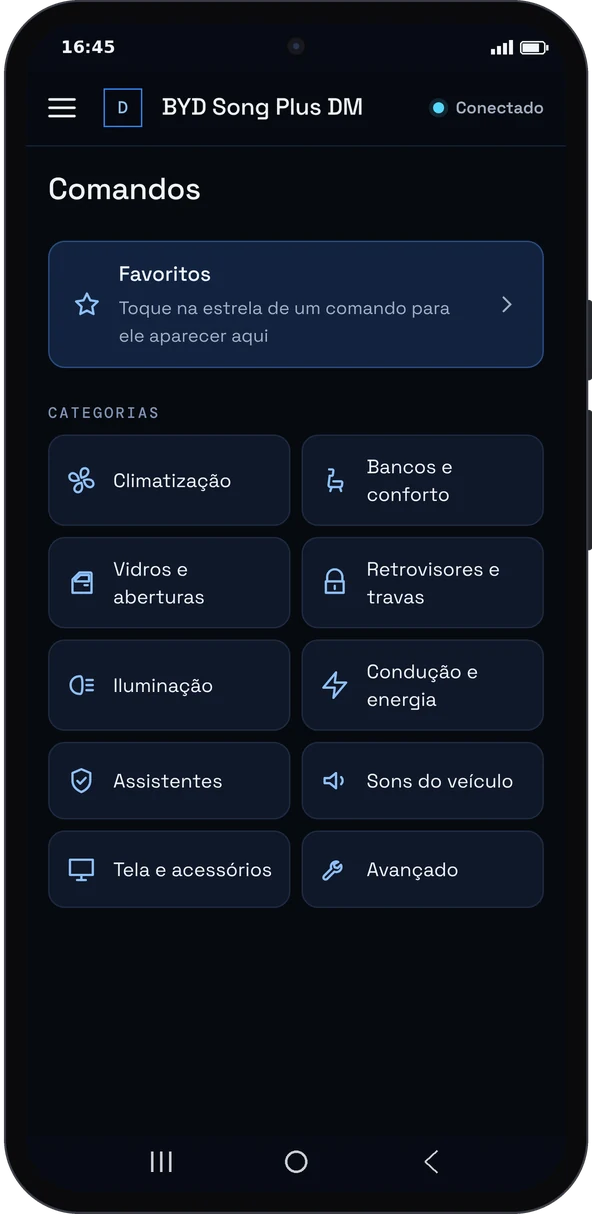
Climate, seats, windows, mirrors, locks, lighting, drive modes and sound, by category.
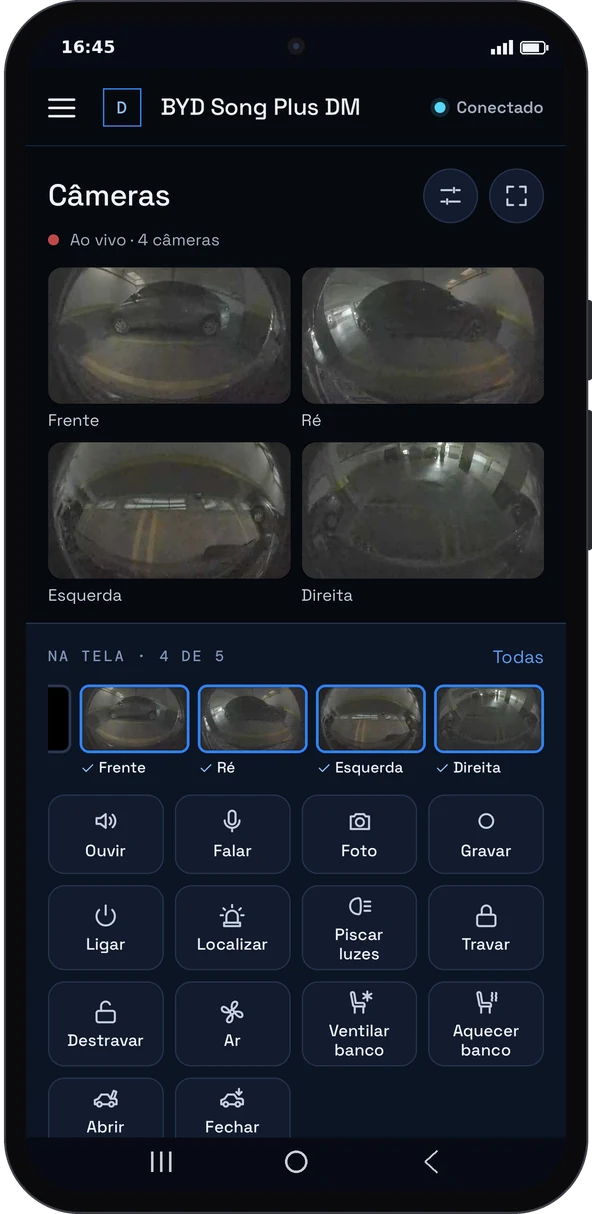
The car’s cameras live wherever you are, with listen, talk, photo and record.
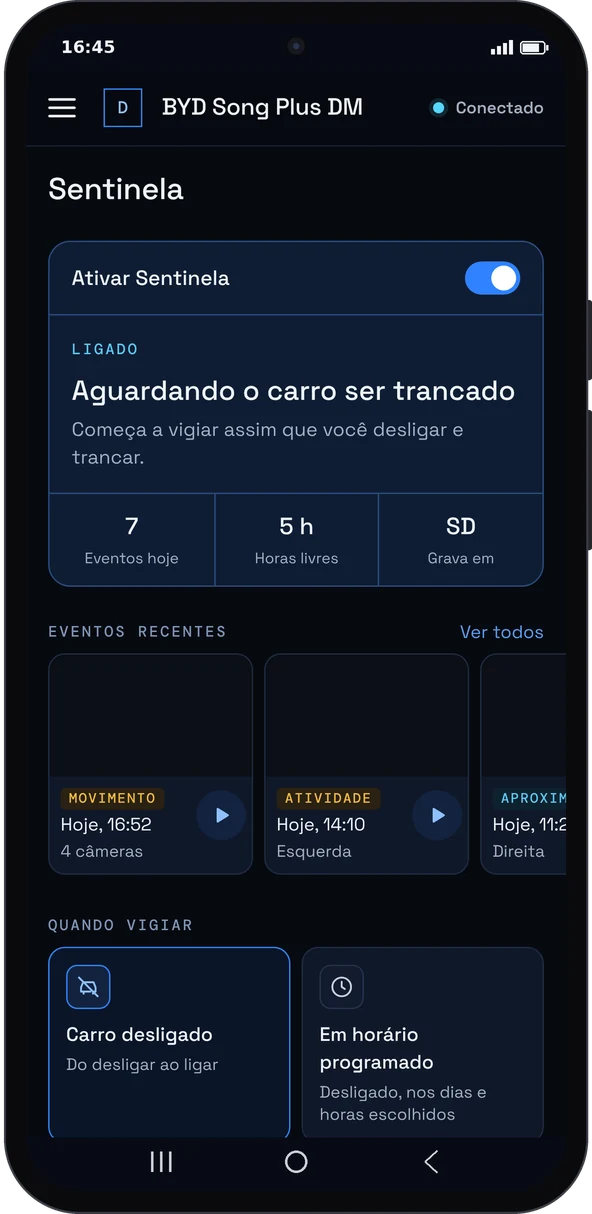
Watches the parked car and records every movement with the cameras. You choose when it watches.
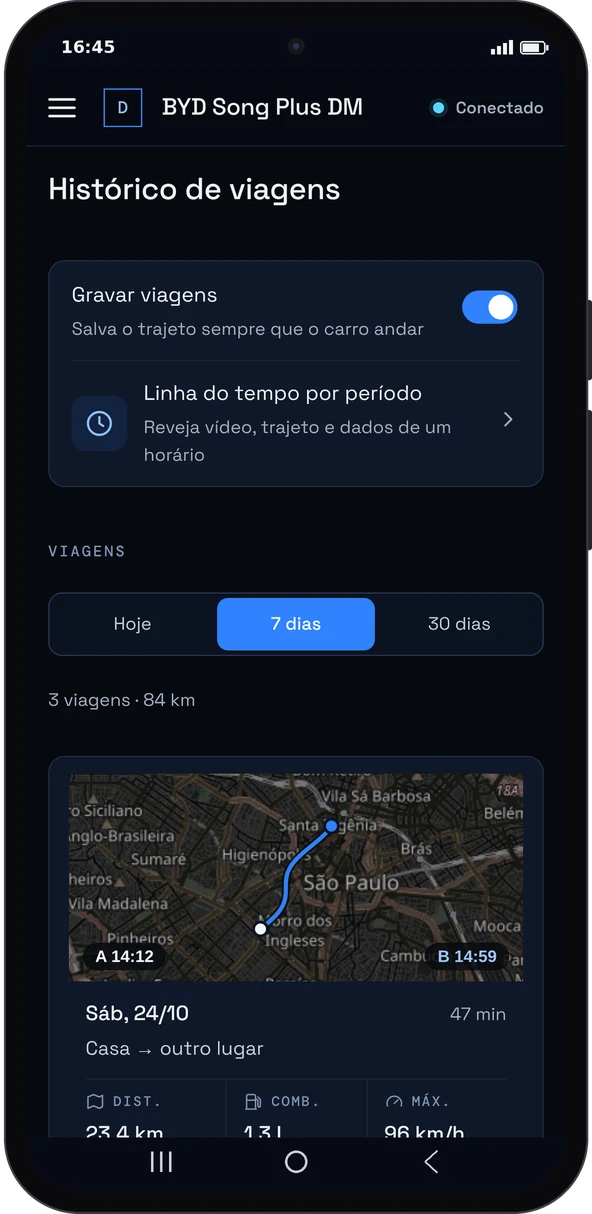
Every route on the map with distance, duration, top speed and energy and fuel consumption.
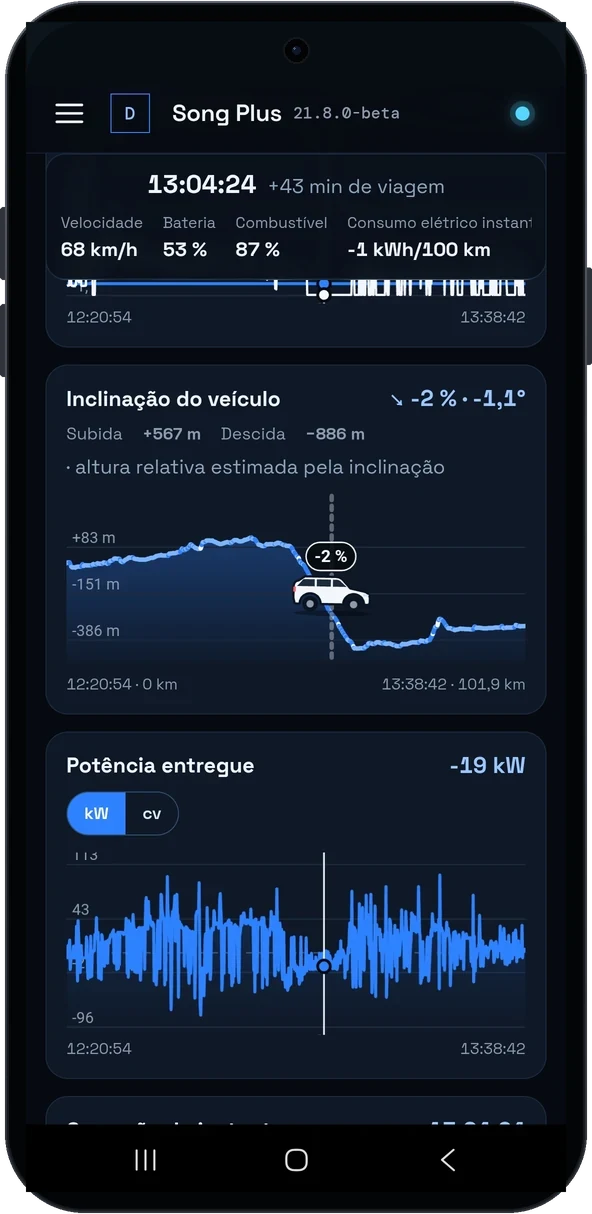
Speed, battery, fuel, tilt and power at every point of the trip, together with the recordings.
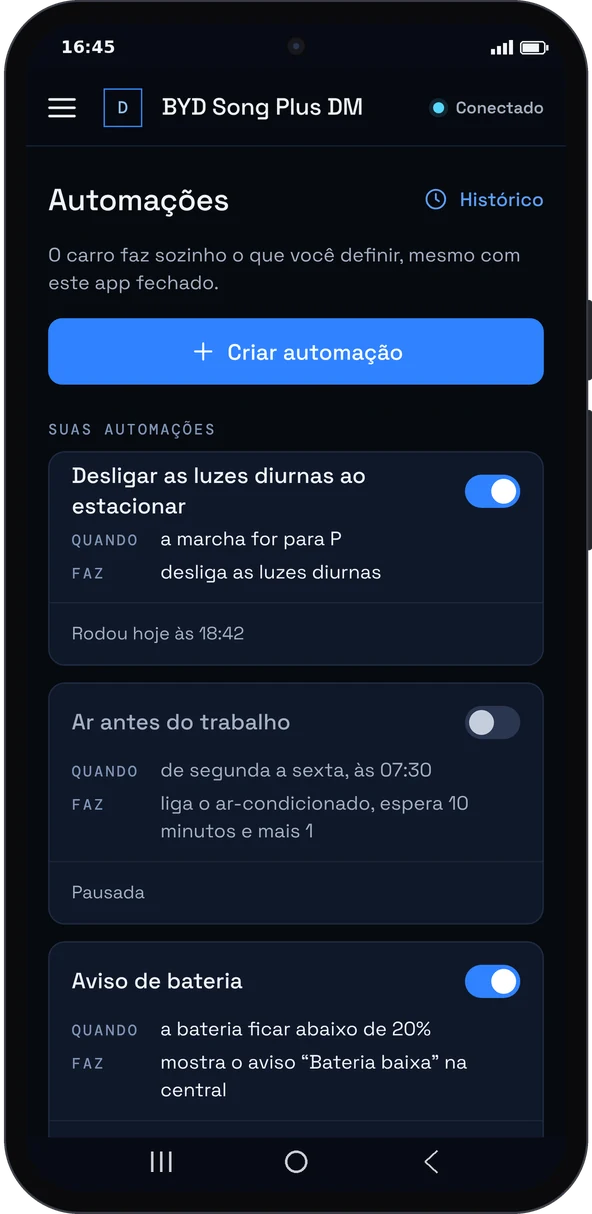
The car reacts on its own to doors, battery, places and times, with actions, waits and conditions.
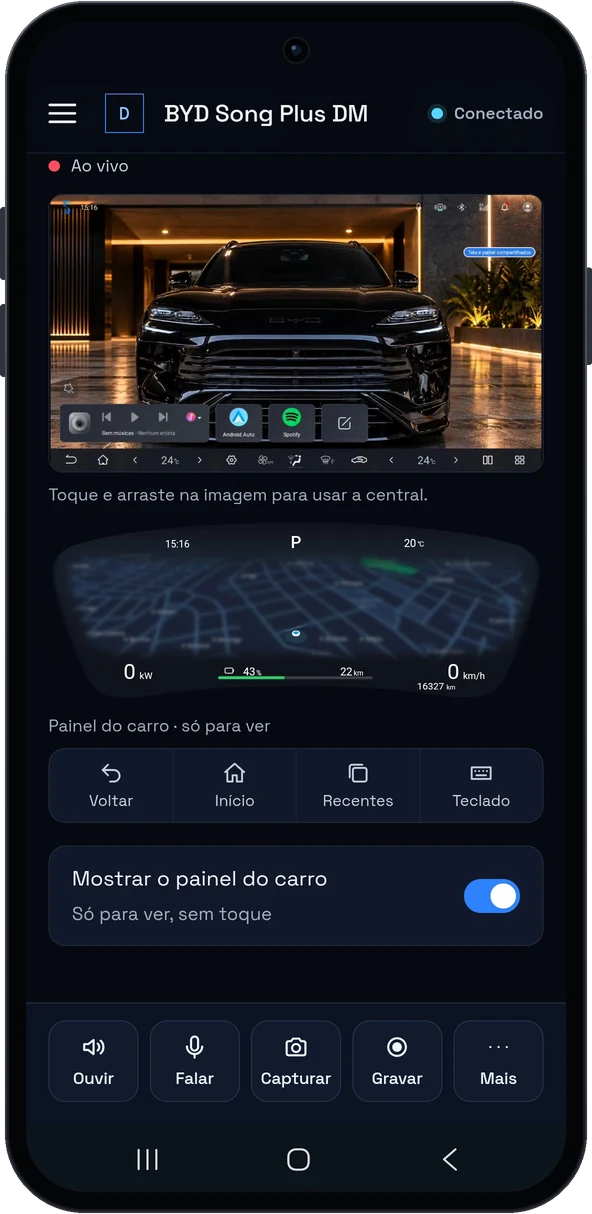
See and control the head unit screen from your phone, with back, home, recents and keyboard.
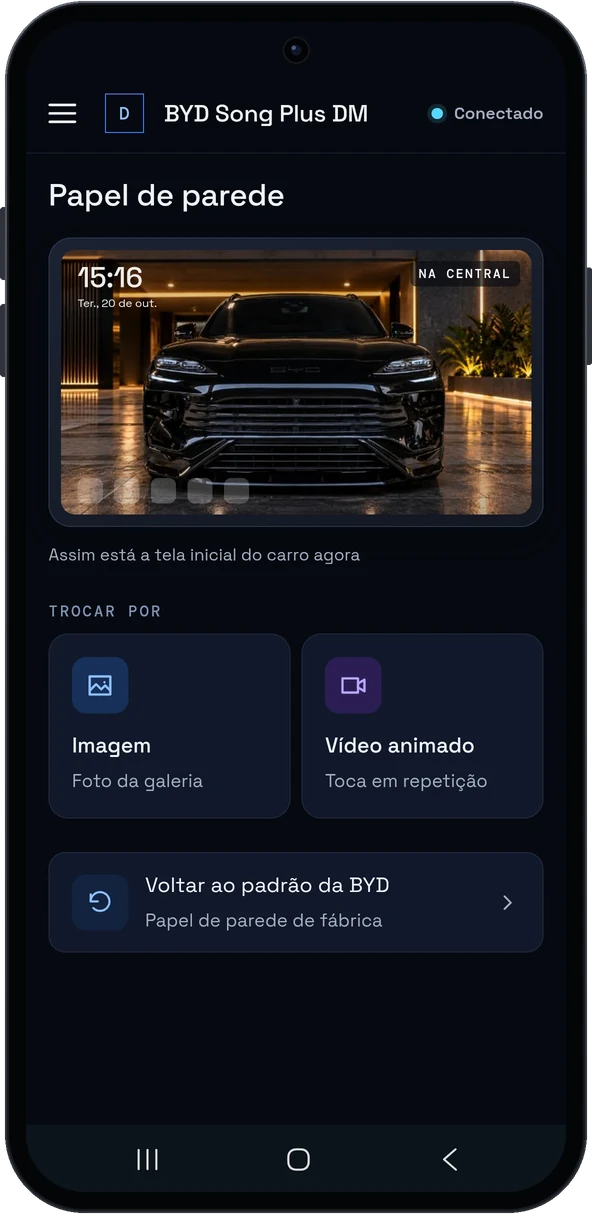
Change the head unit background to an image or an animated video.
An app on the head unit. A link on your phone.
Prepare your head unit
A free DashArc tool allows app installation on your BYD head unit, on its own.
Allow app installation →Install it in the car
If your head unit already allows app installation, download DashArc here and install it on the head unit. You get 14 days free, with every feature included.
See the installation guides →Use it on your phone
Sign in to your account in the browser and pin DashArc to your home screen. It works like an app, no store needed.
Sign in to my account →Tested on DiLink 3 head units in the 13.1.33 family. Compatibility with other head units and versions is not guaranteed. See compatibility
Your car, your way.
Choose from a range of cluster styles.
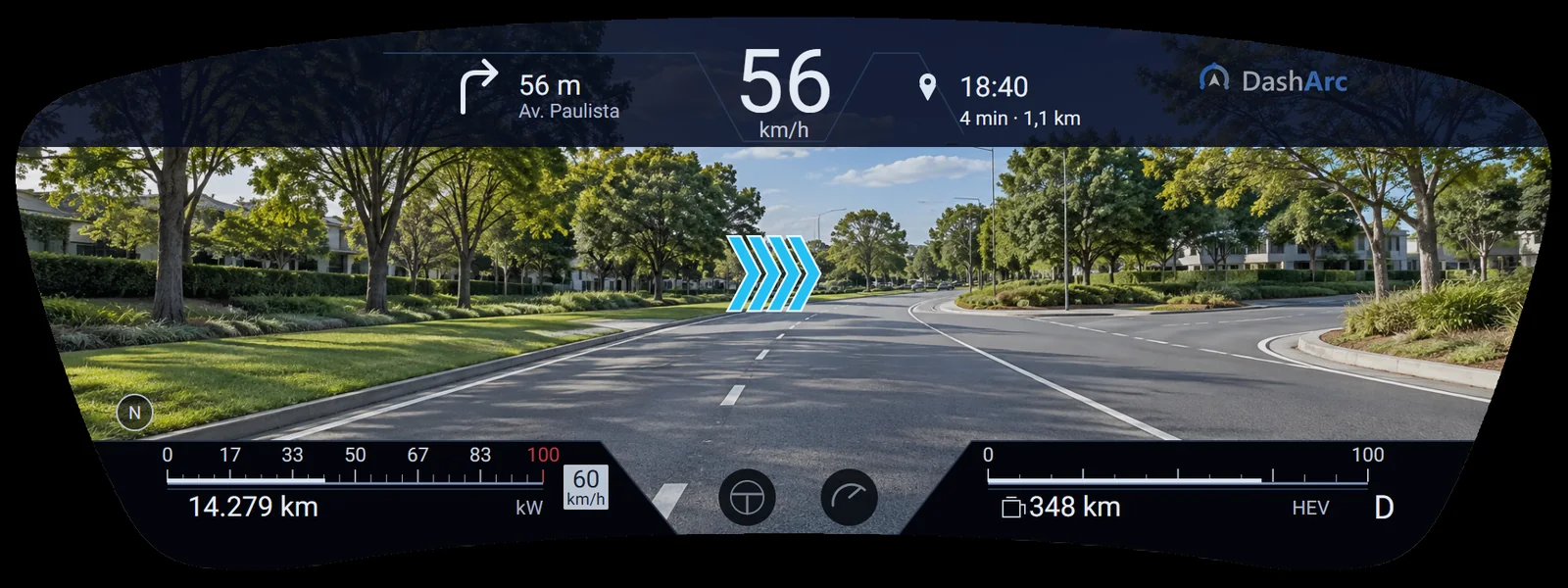
01 Panorama: front camera and route on the cluster
Skin previews with sample data. 3D models in the Horizon and Azure Infinity skins: Nazh Design (CC BY 4.0). Maps © OpenStreetMap.
Your BYD head unit, your way.
Install apps in one tap, change the wallpaper and use the head unit from your phone too.
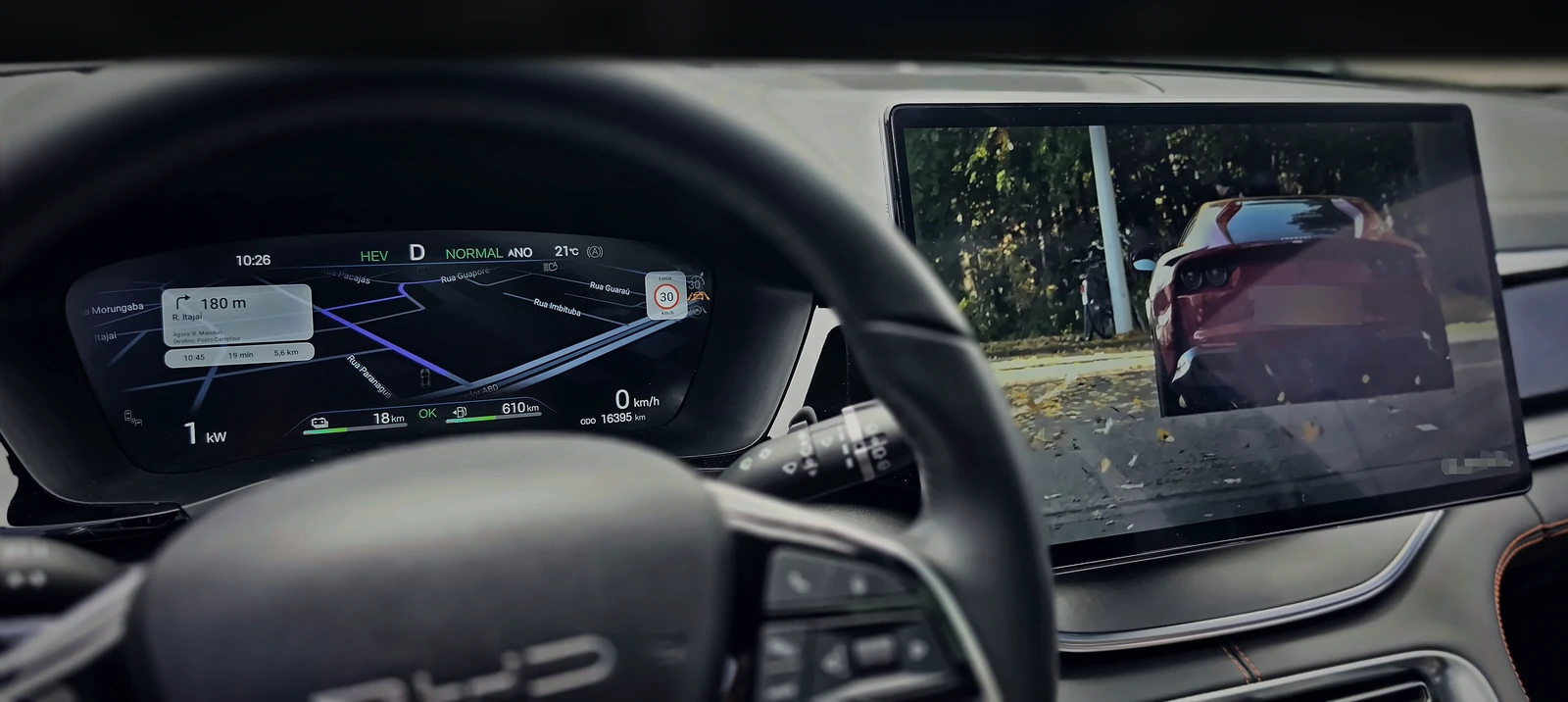
Made for your BYD.
Electric or hybrid, see what DashArc does on your model.
Not every feature may be available for your vehicle.
14 days in your car. Then you decide.
With every feature. It starts on the car’s head unit.
Before you start.
What do I need?
A BYD with a compatible DiLink head unit and a phone. DashArc is installed on the car’s head unit and you use the link on your phone, with nothing to download from a store.
Does it work in my car?
Tested on DiLink 3 head units in the 13.1.33 family. Compatibility with other head units and versions is not guaranteed, and not every feature may be available for your vehicle. That is why you try it free for 14 days in your own car.
Is it safe for the car?
DashArc does not touch the engine, brakes or driver assistance, and never hides the cluster warnings. While on watch, it protects the car battery.
How much does it cost?
14 days free. Then US$ 4.90 for 30 days, US$ 10.90 for 12 months or US$ 24.90 for lifetime, always as a one-time payment via PayPal.
Community
Ask other owners in the Telegram group and follow the news on Instagram.
Check the app.
Compare the SHA-256 below with the file you downloaded.
ca83bdaaf7087f97ecd0d7ca6678284dbb2ce186966df9ca3bb440677e4dbc1e